.png)
Anchor Enrichment Academy is a ClassWallet Vendor!
At Anchor Enrichment Academy, we support educational choice and welcome families using ESA. We do our best to stay up-to-date with regulations for submitting payment and providing documentation through the ESA program.
To pay with ClassWallet, all invoices must be submitted through ClassWallet Direct Pay.
Proof of submission (the confirmation email from ClassWallet) can be emailed to admin@anchorenrichment.org
Steps to Pay a Direct Pay Vendor:
-
Log In: Sign in to your ClassWallet account.
-
Select "Pay Vendor": Click on the Pay Vendor tile (or via the menu).
-
Search Vendor: Find the vendor by searching the list.

-
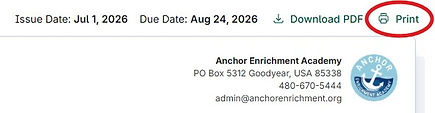
Upload Invoice: Upload a PDF (up to 10 MB) of the invoice. (In DreamClass, Print your invoice and Save As a PDF so the Class Descriptions are visible on your PDF).
-
Type Student Name in "User Name" field, and enter transaction date.

-
Under "Direct Pay Details", you can simplify this step by entering "Class Materials and Fees" as a single line item for the entire invoice amount.
-
For TUITION invoices, you should pay for the Quarter by splitting the semester invoice amount into two payments.
-
Select Category: All Anchor registration, tuition, and textbooks should be submitted as "Tuition, textbooks or fees at a qualified school."
-
Select Purse: Arizona - ESA
-
Enter Comment: Type "Quarterly Payment" for ESA approval.
-
Submit: Review the details and submit for approval.

If you need any specific documentation or signatures, etc., please reach out to us.
We are happy to help!